
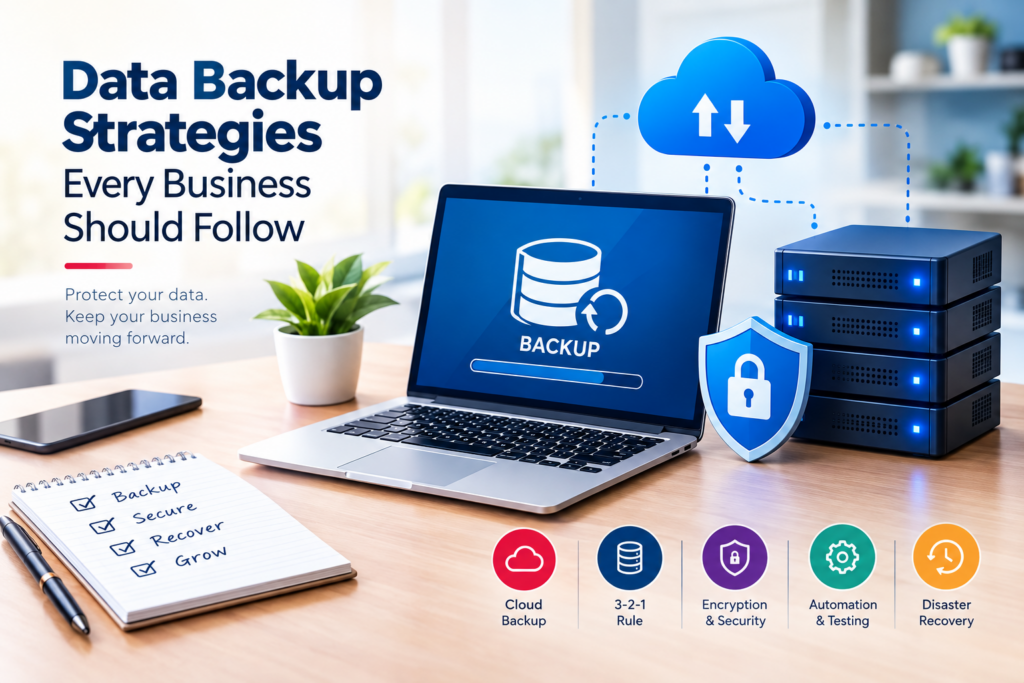
In today’s digital world, almost every business depends on data. Customer details, invoices, financial records, employee information, project files, website data, emails, and business documents — all of these are important for keeping daily operations running smoothly.
But what happens when that data suddenly disappears?
A server can fail. A laptop can be damaged. Someone can accidentally delete an important folder. A cyberattack can encrypt business files. Even something as simple as a hardware failure can make critical information unavailable.
That is why data backup is not something businesses should think about only after losing their data. A proper backup strategy should be part of everyday business operations.
A reliable backup system gives businesses a way to recover important information and continue working even when something goes wrong.
In this blog, we’ll look at practical data backup strategies every business should follow, from choosing the right backup method to testing whether your backups can actually be restored.
Why Is Data Backup Important for Businesses?
Imagine working on an important project for several months and suddenly losing all related files. Or imagine your customer database becoming unavailable just before an important business deadline.
Recovering from situations like these can take time, money, and effort.
A good backup strategy helps reduce the impact of unexpected incidents such as:
- Hardware failure
- Accidental file deletion
- Malware and ransomware attacks
- Server crashes
- Software failures
- Human mistakes
- Theft or physical damage
- Natural disasters
- System upgrades or migration problems
Data backup doesn’t mean that something will never go wrong. It means your business has a recovery plan when something does go wrong.
1. Follow the 3-2-1 Backup Rule
One of the most practical approaches to business data protection is the 3-2-1 backup rule.
The idea is simple:
- 3 copies of important data
- Stored on 2 different types of storage
- With 1 copy kept off-site
For example, a business could have:
- The original data on its office server
- A backup on a separate local storage device
- Another backup stored securely in the cloud
This reduces the risk of losing everything because of one failure.
For example, if an office server and local backup are affected by a hardware problem or ransomware attack, the off-site backup can provide another recovery option.
2. Automate Your Backups
One of the biggest problems with manual backups is that people can forget to perform them.
A backup schedule that depends entirely on someone remembering to click a button isn’t ideal for a business environment.
Automated backups can run according to a predefined schedule, such as:
- Daily backups
- Weekly full backups
- Hourly backups for critical systems
- Real-time or near-real-time replication for certain applications
The right frequency depends on how quickly your business data changes and how much data you can afford to lose between backups.
For example, a company that processes hundreds of transactions every day may require more frequent backups than a small business that updates a few documents each week.
3. Choose the Right Type of Backup
Not every backup works in exactly the same way. Understanding the different backup types can help businesses choose an approach that fits their requirements.
Full Backup
A full backup creates a complete copy of selected data.
It is straightforward to restore, but it generally requires more storage space and may take longer to complete.
Incremental Backup
An incremental backup saves only the data that has changed since the previous backup.
This can reduce backup time and storage requirements.
Differential Backup
A differential backup saves changes made since the last full backup.
It can provide a balance between backup speed and restoration convenience.
Businesses can combine these approaches instead of relying on just one method.
4. Keep an Off-Site Backup
Keeping every backup in the same physical location creates a potential single point of failure.
Suppose your business keeps its main server and backup device in the same office. If the office experiences fire, flooding, theft, or another serious incident, both the original data and backup could be affected.
That is why having an off-site backup is important.
Cloud storage is one option, but businesses can also use other geographically separated infrastructure depending on their requirements, security policies, and budget.
The main objective is simple: a major incident in one location should not destroy every copy of your business data.
5. Consider Cloud Backup
Cloud backup has become an increasingly practical option for businesses because it allows data to be stored outside the company’s physical premises.
Depending on the solution, businesses may benefit from:
- Off-site data protection
- Automated backups
- Scalable storage
- Remote accessibility
- Disaster recovery options
- Reduced dependence on physical storage devices
However, businesses should not choose a cloud backup solution simply because it is called “cloud.”
Before selecting a provider, consider factors such as security, encryption, recovery options, retention policies, access controls, compliance requirements, and overall cost.
6. Protect Your Backups From Ransomware
Having a backup does not automatically mean your business is protected from ransomware.
Modern attacks can potentially target connected systems and backup environments as well.
Businesses should therefore consider protecting backup infrastructure separately from everyday systems.
Some useful practices include:
- Restricting backup access
- Using strong authentication
- Applying role-based permissions
- Keeping multiple backup versions
- Using immutable or otherwise protected backups where appropriate
- Monitoring unusual backup activity
- Separating critical backup credentials from normal user accounts
The goal is to make it difficult for an attacker to compromise both the original data and its recovery copies.
7. Encrypt Sensitive Business Data
Businesses often store sensitive information such as customer details, financial records, employee information, contracts, and internal documents.
Backups containing this information should be protected appropriately.
Encryption can help protect data if backup files or storage devices are accessed without authorization.
Businesses should also protect encryption keys and credentials carefully. Encryption is only one part of a larger security strategy, so it should be combined with access controls, authentication, monitoring, and secure infrastructure.
8. Test Your Backups Regularly
This is one of the most overlooked parts of a backup strategy.
A backup may appear to be working correctly, but that does not necessarily mean it can be successfully restored.
Imagine discovering during an emergency that your backup is incomplete, corrupted, outdated, or impossible to restore.
Regular restoration testing helps identify these problems before an actual disaster occurs.
Businesses can periodically test:
- Individual file restoration
- Database restoration
- Server recovery
- Application recovery
- Complete system recovery
- Recovery time
- Backup integrity
A backup should not simply exist. You should know that you can restore it.
9. Define How Long Backups Should Be Kept
Keeping every backup forever isn’t always practical.
Businesses should establish a backup retention policy that defines how long different types of backups should remain available.
For example, a business might maintain:
- Daily backups for a certain period
- Weekly backups for longer-term recovery
- Monthly backups for archival purposes
The exact retention period should depend on business requirements, regulatory obligations, operational needs, and the type of data involved.
A clear retention policy also helps control storage costs.
10. Control Who Can Access Backup Data
Backup systems contain some of the most important information in a business, so access should be carefully controlled.
Not every employee needs access to backups.
Businesses should consider:
- Role-based access
- Strong passwords
- Multi-factor authentication
- Separate administrator accounts
- Regular permission reviews
- Logging and monitoring
- Immediate removal of access when employees leave
The fewer unnecessary accounts that can access backup systems, the smaller the potential attack surface.
11. Back Up More Than Just Office Files
When businesses think about backup, they often think only about documents and spreadsheets.
But modern businesses may depend on many other types of data, including:
- Databases
- Websites
- Customer management systems
- Accounting software
- ERP systems
- HR systems
- Emails
- Application files
- Configuration files
- Source code
- Cloud applications
A backup strategy should consider the systems that the business actually depends on.
There is little value in restoring a few documents if the database or application required to use them is unavailable.
12. Create a Disaster Recovery Plan
Backup and disaster recovery are related, but they aren’t exactly the same thing.
Backup is about maintaining recoverable copies of data.
Disaster recovery is about restoring systems and operations after a serious incident.
A business disaster recovery plan should answer questions such as:
- What systems are most critical?
- What data needs to be restored first?
- Who is responsible for recovery?
- Where are the backups stored?
- How will systems be restored?
- How quickly does the business need to recover?
- How will employees communicate during an outage?
Having these answers before an emergency can make the recovery process much more organized.
13. Train Employees About Data Protection
Technology alone cannot create a reliable backup strategy.
Employees also play an important role in protecting business information.
Staff should understand basic practices such as:
- Avoiding suspicious links and attachments
- Using strong passwords
- Reporting unusual system activity
- Avoiding unauthorized storage devices
- Following company backup and security procedures
- Understanding which files contain sensitive information
Even a sophisticated backup infrastructure can be undermined by poor security practices.
How Often Should a Business Back Up Its Data?
There isn’t one backup schedule that works for every business.
The right frequency depends on how quickly your data changes and how much data the business can afford to lose.
For example:
Low-change data:
Daily or weekly backups may be sufficient depending on the business requirement.
Frequently updated business data:
Daily or multiple backups per day may be appropriate.
Critical transactional systems:
More frequent backups or continuous data replication may be required.
A useful question for businesses is:
“If our latest backup is lost, how much data can we realistically afford to lose?”
The answer can help determine the required backup frequency.
Local, Cloud, or Hybrid Backup?
Businesses generally have several storage options.
Local Backup
Data is backed up to storage located within the business environment.
Advantages:
- Fast local recovery
- Direct control over infrastructure
- Useful for large datasets
Considerations:
- Physical damage can affect both primary and backup systems
- Hardware requires maintenance
- Off-site protection may still be necessary
Cloud Backup
Data is stored with a cloud-based backup provider.
Advantages:
- Off-site storage
- Scalable capacity
- Automation options
- Remote recovery possibilities
Considerations:
- Internet connectivity can affect recovery
- Provider security and policies need evaluation
- Ongoing subscription costs may apply
Hybrid Backup
A hybrid strategy combines local and cloud/off-site backups.
For many businesses, this approach can provide both quick local recovery and additional protection from location-specific incidents.
Common Backup Mistakes Businesses Should Avoid
Even businesses that perform backups can make mistakes.
Some common ones include:
Relying on a single backup
One backup is better than none, but it still creates a potential single point of failure.
Never testing restoration
A backup that has never been restored is not fully proven.
Keeping backups connected all the time
Constantly accessible backups can potentially be affected by certain cyberattacks.
Ignoring cloud application data
Some cloud services may require separate backup or retention arrangements.
Giving too many people backup access
Excessive permissions increase security risks.
Not documenting the recovery process
During an emergency, employees should know what to do instead of trying to figure everything out from scratch.
Build a Backup Strategy Around Your Business
There is no universal backup setup that is perfect for every company.
A small business may need a relatively simple automated cloud backup system, while a larger organization may require databases, application servers, redundancy, replication, disaster recovery infrastructure, and formal recovery procedures.
The important thing is to build a strategy around your actual business requirements.
Start by identifying:
- What data is critical?
- How frequently does it change?
- How quickly must it be restored?
- How much data can the business afford to lose?
- Who should have access to backups?
- Where should backup copies be stored?
- How often should recovery be tested?
Once these questions are answered, it becomes much easier to create a practical backup plan.
Conclusion
Data loss can happen to any business, regardless of its size. The important thing is to be prepared before an incident happens.
A reliable business backup strategy should go beyond simply copying files to another drive. Businesses should consider multiple backup copies, different storage locations, automation, encryption, access control, regular testing, retention policies, and disaster recovery planning.
The 3-2-1 backup approach, automated backups, off-site storage, regular restoration testing, and employee awareness can form a strong foundation for protecting business information.
Your data supports your customers, employees, operations, and decisions. Protecting it isn’t just an IT responsibility — it’s part of protecting the business itself.